

Etsy’s New Payment Account Explained - What Sellers Need to Know
Sep 17, 2026Prefer to listen instead of read? This episode is also available as a podcast, so you can stick it on while you’re making, packing orders, or staring at your social media stats wondering what on earth is going on.
Okay. Etsy has started rolling out a redesigned payment account, which means your finances behind the scenes on Etsy are going to look a little bit different.
Your balance might suddenly look different, even though your actual shop activity hasn’t really changed.
Before you assume that Etsy’s fees have gone up and they’ve swallowed your money, let’s go through what the changes are and what the new numbers actually mean.
So this information I’m about to tell you comes from Etsy’s Seller Handbook, direct from the horse’s mouth, published on 29 July 2026. So you know it’s up to date.
What is your Etsy payment account?
So let’s talk about your payment account, all right? Because your payment account is pretty well the little mini bank account, is kind of how I like to think about it.
It’s not a bank account, but it kind of is inside of Etsy.
Etsy’s payment account is where Etsy shows you:
-
Sales income
-
Fees
-
Refunds
-
Reserves
-
Payouts
Until now, different figures and warnings were kind of spread around the page, and it was very easy for people to get confused as to what was what.
Etsy says that the redesign is intended to give sellers a clearer view from the original sale all the way to the bank payout.
The update is rolling out over several months, so not every single Etsy shop owner is going to see every new change immediately.
Wondering why your Etsy listings aren't selling?
I've put together a free 72-page guide to help you figure out what's actually stopping the sales and what to do about it.
✅ Find out why people aren't buying
✅ See what needs fixing first
✅ Get a clear plan instead of guessing
What is actually changing?
So basically, if I’m drawing this out, and for those of you who are listening on the podcast, I’m just going to draw out the kind of timeline as to what’s actually changing.
So we have a sale made, okay? Then the money goes through the processing.
This is what’s changing, but it’s not changing as in how they process it. It’s changing how they are actually reporting it to you.
A changed layout does not automatically mean that your payout, fees, schedule or reserve status has changed.
All it basically is, is redesigning the layout of how they present that information to you. Okay.
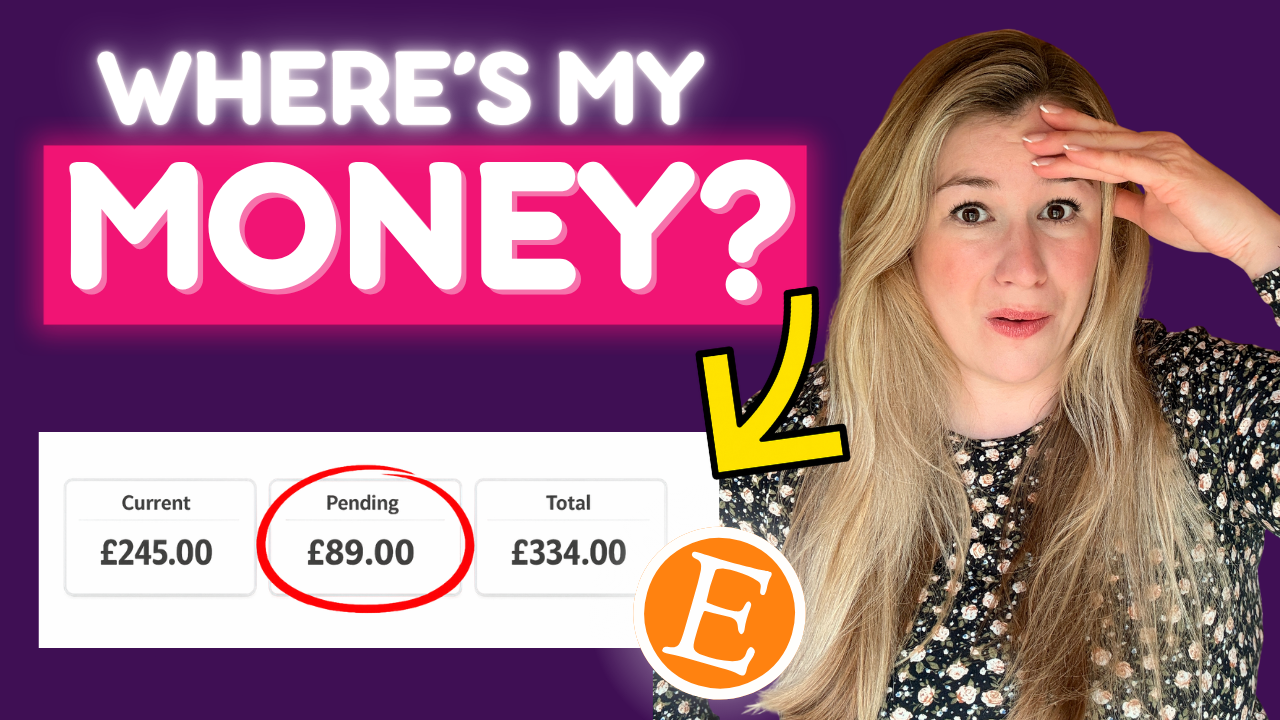
What do current, pending and total mean?
So let’s now talk about the different names and terms that they are going to be using.
Current
So we have current. Current is pretty well money that is available now, or has already been used for fees, refunds or billing. Okay?
Pending
Pending is money that’s still processing, still working its way through, or is being held in a payment account reserve.
Total
Total is pretty well current plus pending.
So this is where I’m looking at this and I’m thinking, actually, this is very much like a bank account, where you have your pending, you have your available, and then you have your total.
Etsy is now showing the total calculation for you, just so there’s no confusion.
Does pending mean there is a problem?
Now, by the way, pending does not necessarily mean that there is an issue or problem with an order on your account.
Money might just be pending because it’s still in its initial processing period, or because it’s being held in reserve.
Why your current balance might look negative
So your current balance can actually look negative when real-time charges are higher than the earnings currently available there.
It’s a bit like when you’re spending a lot on your debit card and then it goes into minus.
So Etsy has actually given examples of these. This is Etsy Ads, shipping labels, refunds or other fees charged before the pending earnings move into current.
So I’m just reading that from the page.
What does “Ready for Deposit” tell you?
Etsy has now added a Ready for Deposit area to separate payout timing from deposit health.
Payout timing is simply telling you when money is expected to become available.
Deposit health tells you whether your account can actually receive the payout.
I know a lot of people that have changed cards, changed accounts. So this is actually a really useful thing.
A pending sale or reserve can delay when money becomes available without meaning that something’s wrong with your bank account.
If something is blocking a deposit, if anything’s gone wrong, Etsy says that this is the thing that should show the issue and any action required.
So that’s good, because it means there’s no more guessing as to whether your bank account’s broken, it’s unlinked itself and all that kind of thing.
Where has the reserve information gone?
Let’s talk about reserves, because reserve money now sits inside the pending balance bit.
The old standalone reserve module, as you see it on your dashboard, has now been removed.
What this means is that sellers can now go into the reserve details box to see affected sales and when funds might become available.
So no more guessing there.
Etsy has also retired the old reserve minimum figure.
This does not mean that payment account reserves themselves, if you currently have one, have disappeared.
What changes are coming soon?
So let’s talk about the coming-soon aspects of this.
Sale-related fees
Etsy says that sale-related fees will eventually remain pending until the matching sale earnings become available.
Fees unrelated to a specific sale, things like Etsy Ads, shipping labels, listing fees and subscription fees, will still be charged in real time.
Transaction history
Transaction history will be divided into total, current and pending tabs, and each order should eventually appear as one expandable transaction with its related fees underneath.
So basically, you will have the transaction here, and then it will have fee, fee, fee, fee underneath.
Which is so much easier, especially when you’re looking to account for: do I need to raise my prices? Do I need to fiddle around with this or this or this?
It’s going to be so much clearer.
Understanding your money and checking your listings
This payment account update really helps sellers understand where their money is, but understanding the dashboard itself does not explain why a listing is getting views without sales.
This is why I have created this free guide.
Now, this guide is 72 pages long, and don’t worry, it’s not 72 pages of reading. It’s very visual. It’s got diagrams and drawings.
But this is called Why Your Etsy Listings Aren’t Selling and What to Do About It.
It does exactly what it says on the tin.
Now, wherever you are consuming this, YouTube, podcast, I’m going to pop the link to this below.
You absolutely need to go and grab this if your Etsy listings aren’t really doing anything.
Your next step
Your next step is to go and watch this video on the screen.
I’m going to pop a little thumbnail up for you, because that’s going to complement this so, so well. And it’s pretty well going to be your next step that I want you to take.
So guys, thank you so, so much for watching.
I really hope this update has meant good news for you, and I will see you all real soon.


